How Clinically works
Flow handles document intake and review. Flow + Triage adds the clinical workflow through to follow-up.
Documents Arrive
Clinically receives documents from every source automatically—no manual checking required.
- Email forwarding - Forward to your Clinically inbox
- Fax number - Direct Notifyre fax integration
- Staff uploads - Drag-and-drop interface
- Web forms - Public portal for referring doctors
- Patient portal - Patients upload their own referrals
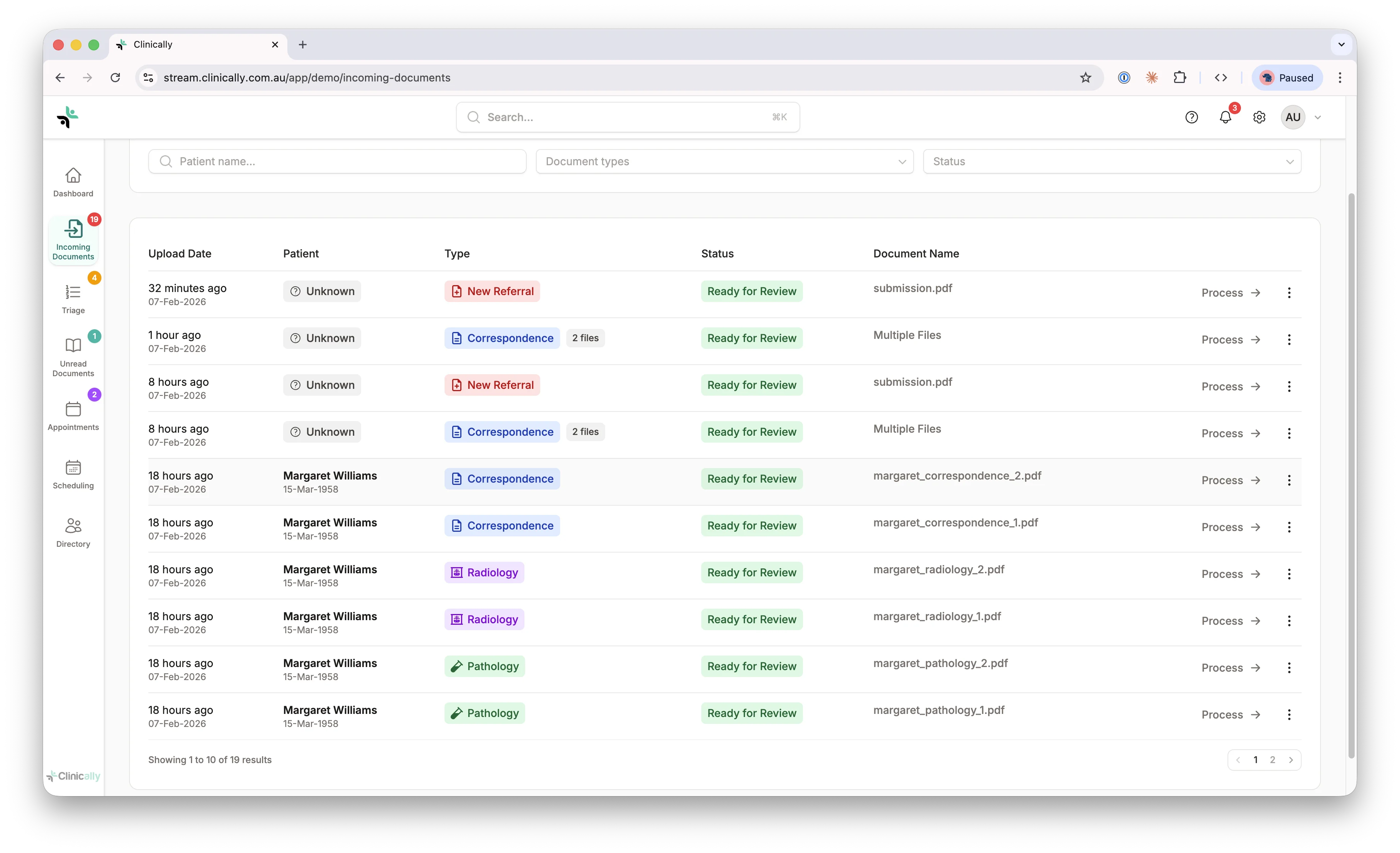
Automatic Conversion & OCR
Every document is processed and made fully searchable without any manual work.
- Converts emails, Word docs, images to searchable PDF
- OCR for scanned and faxed documents
- Merges multiple attachments into single document
- Extracts full text for instant searching
- Split multi-patient documents into separate records
AI Extracts Key Information
AI reads the document and extracts all relevant details with 80% full accuracy.
Patient Details
Name, date of birth, Medicare number
Referrer Information
Name, provider number, practice details
Document Classification
Referral, pathology, radiology, correspondence
Urgency & Assignment
Flags urgent cases and identifies which specialist
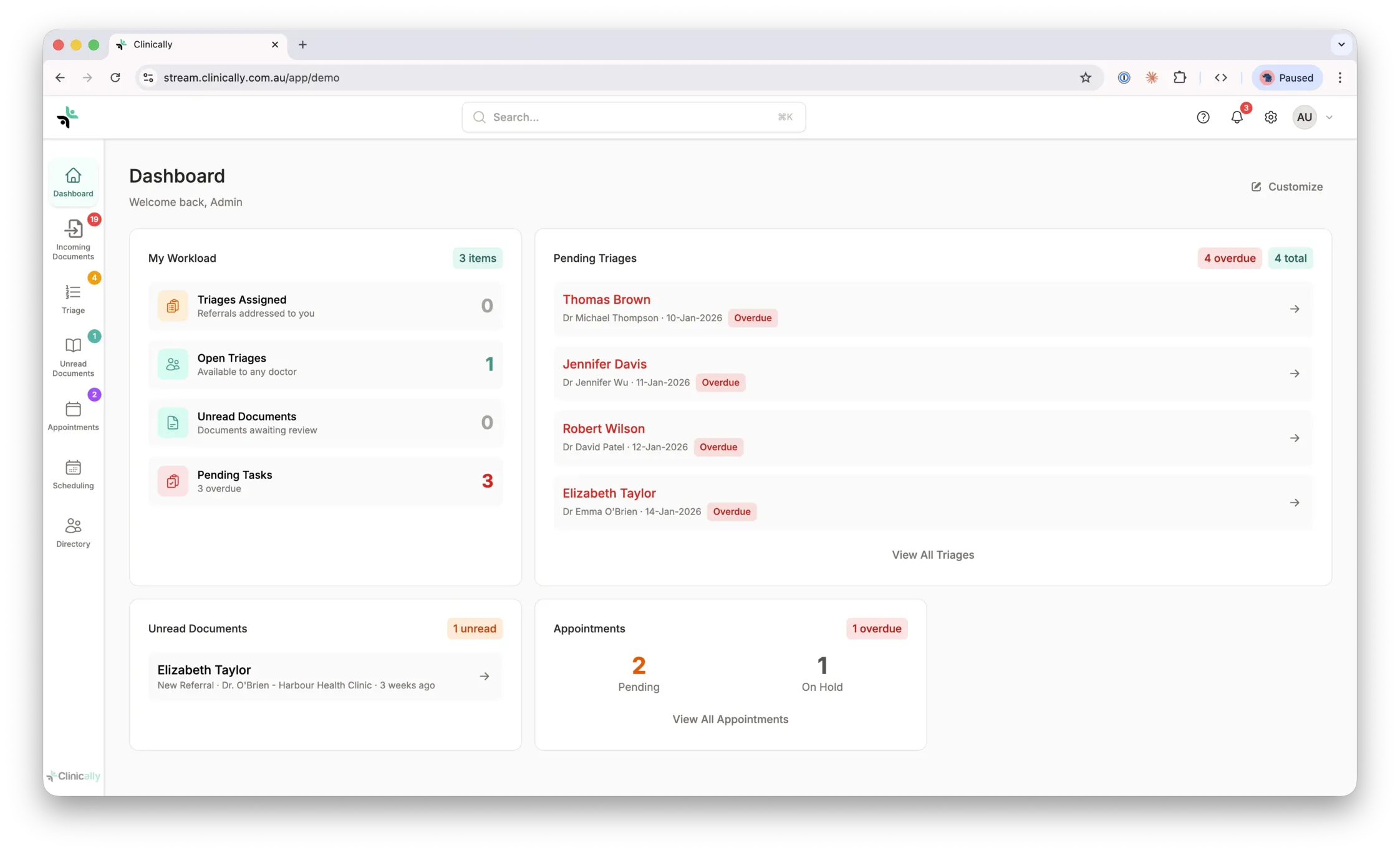
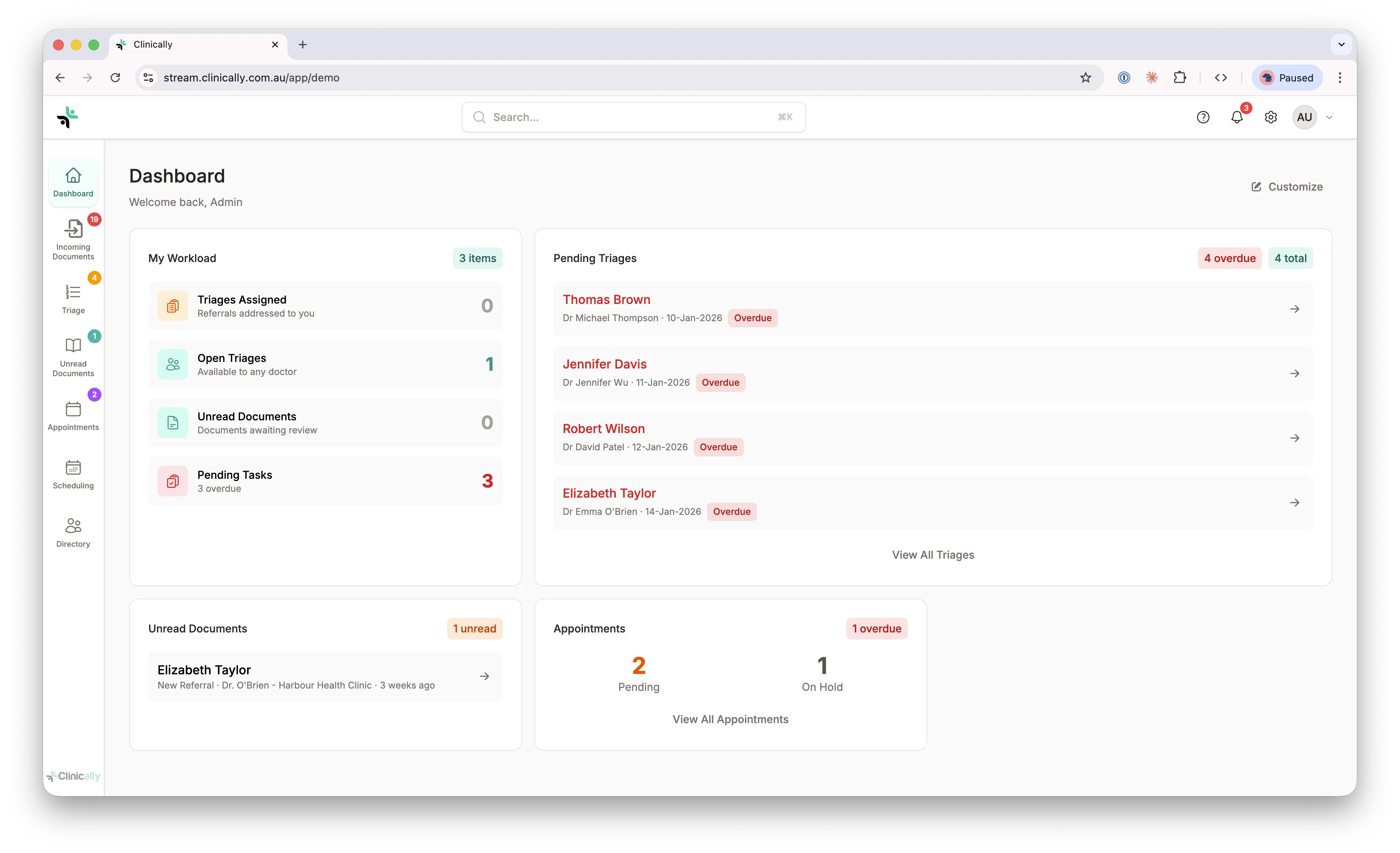
Automatic Patient Matching
Clinically searches your existing patients and prevents duplicate records.
- Matches by name, DOB, and Medicare number
- Shows confidence score for potential matches
- Flags potential duplicates for review
- One-click to create new patient if needed
Eliminates duplicate patient records and fragmented medical history
Classification & Routing
Every document goes to the right person automatically, powered by custom workflows you define.
New Referral
Routes to triage queue for specialist review
Pathology Report
Goes directly to specialist's inbox
Correspondence
Routes to practice manager
Urgent Case
Flagged and prioritized automatically
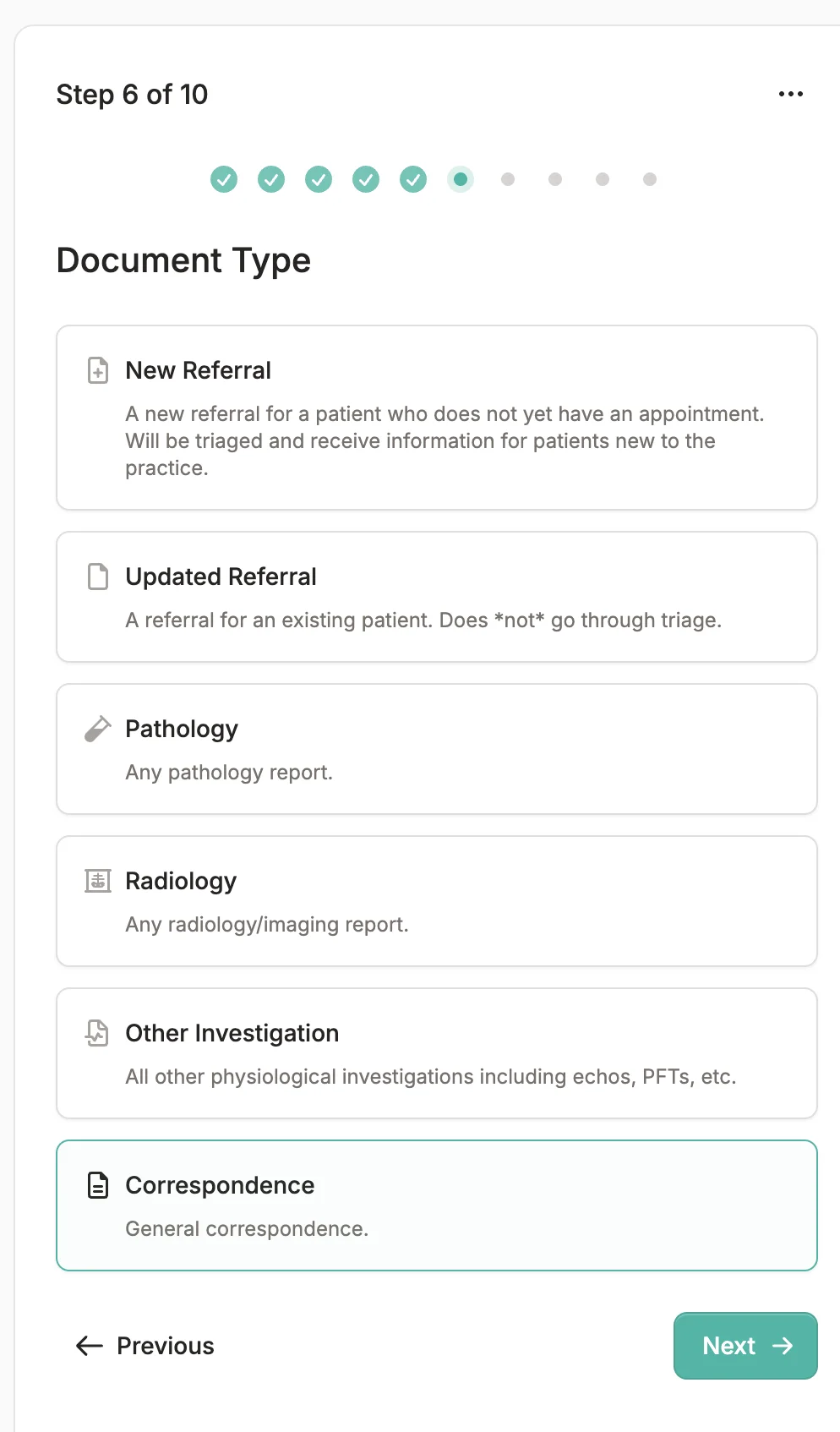
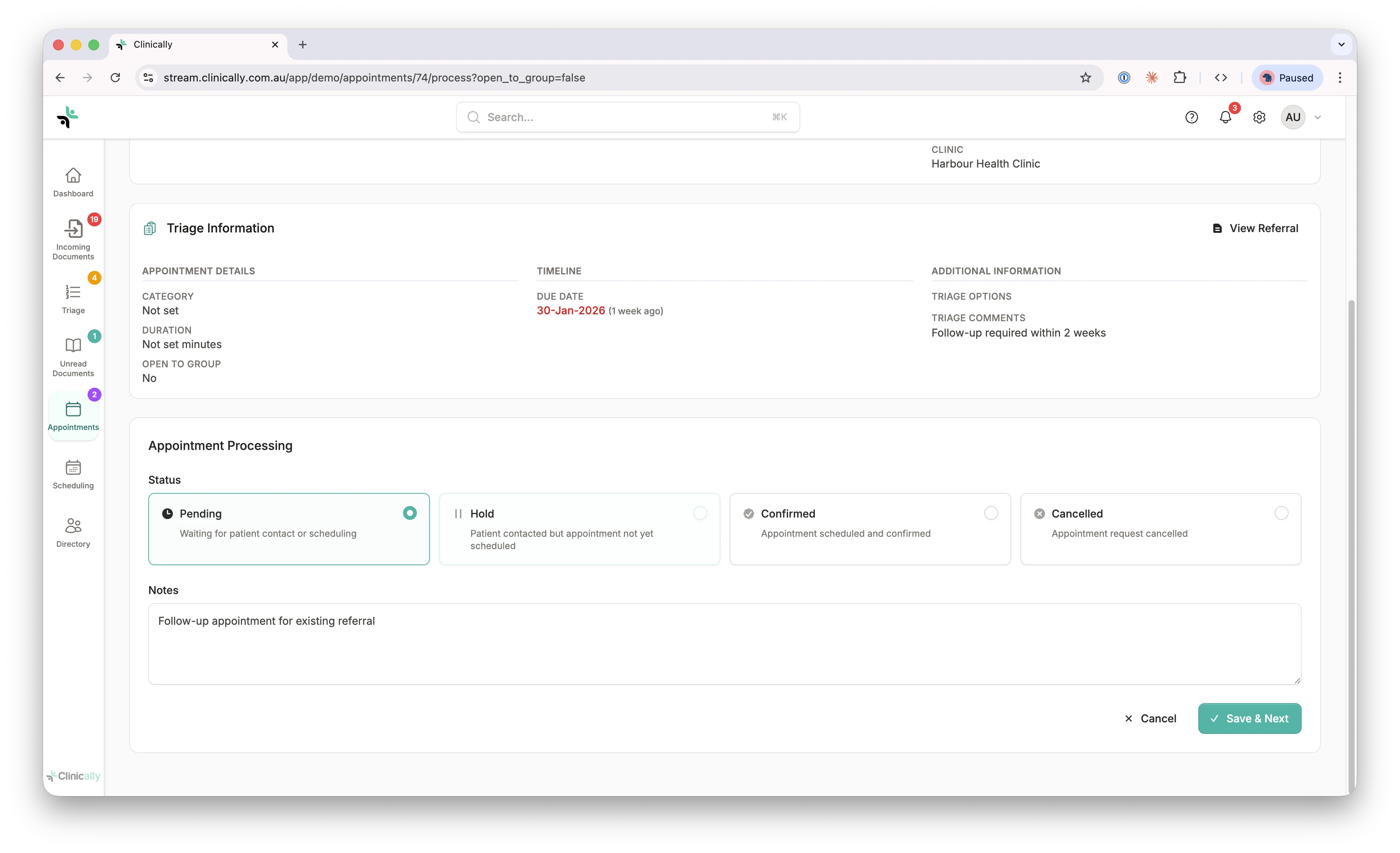
Clinician Triage
Review and triage referrals from any device, anywhere.
- Works on phone, tablet, or desktop
- Read full document text and patient history
- Triage using your configurable categories
- Add notes and assign to colleagues
"I triage referrals between patients or during my morning coffee. Takes minutes, not hours."
— Dr. Wojt Janowski
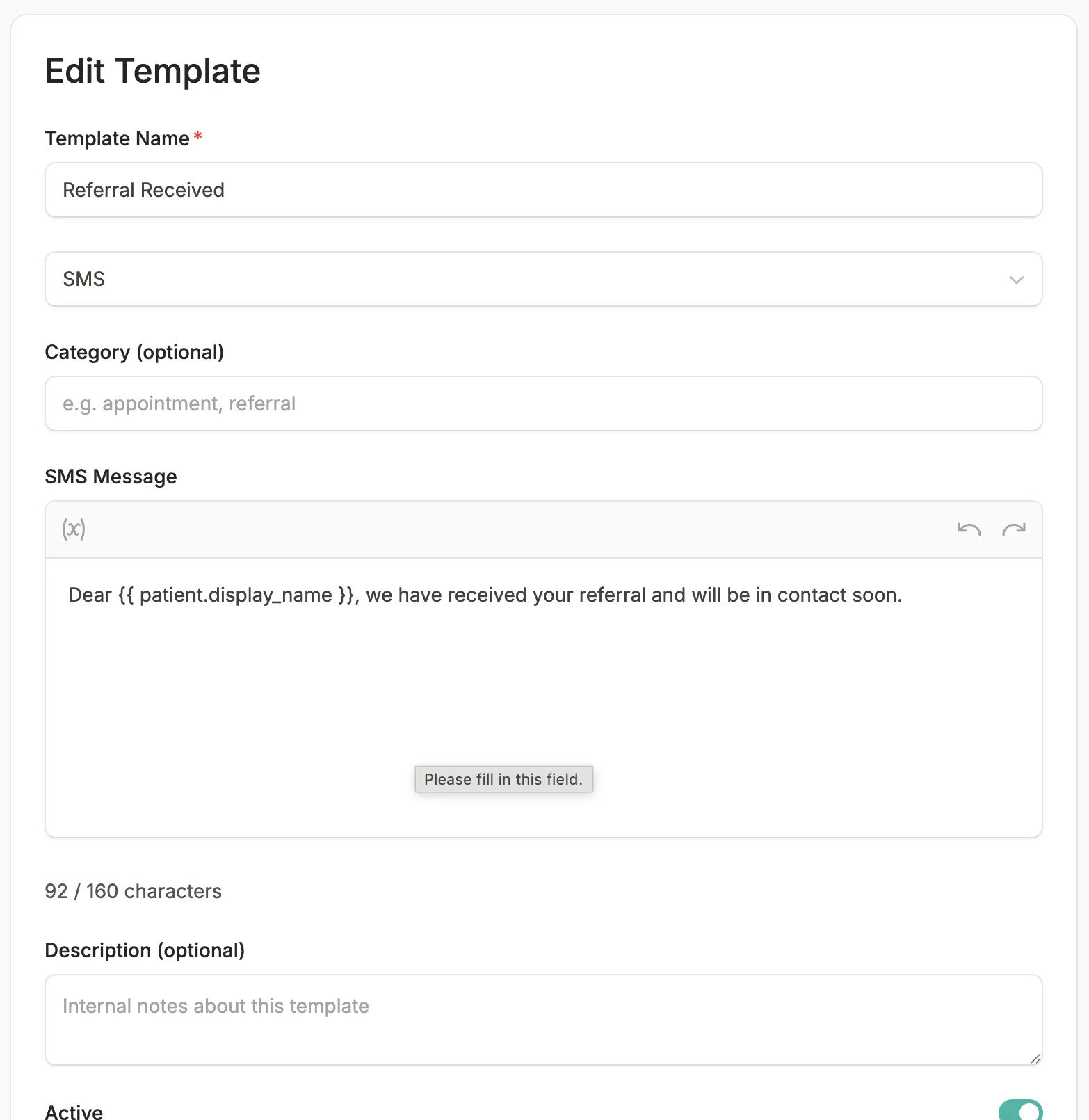
Automated Communications
Keep everyone informed automatically—no manual phone calls or emails.
To Patients
"We received your referral"
"Your appointment is confirmed"
Appointment reminders
To Referring Doctors
"Referral received for [patient]" (optional)
Status updates on request
Based on Clinically internal data from Australian specialist practices, 2024–2025.
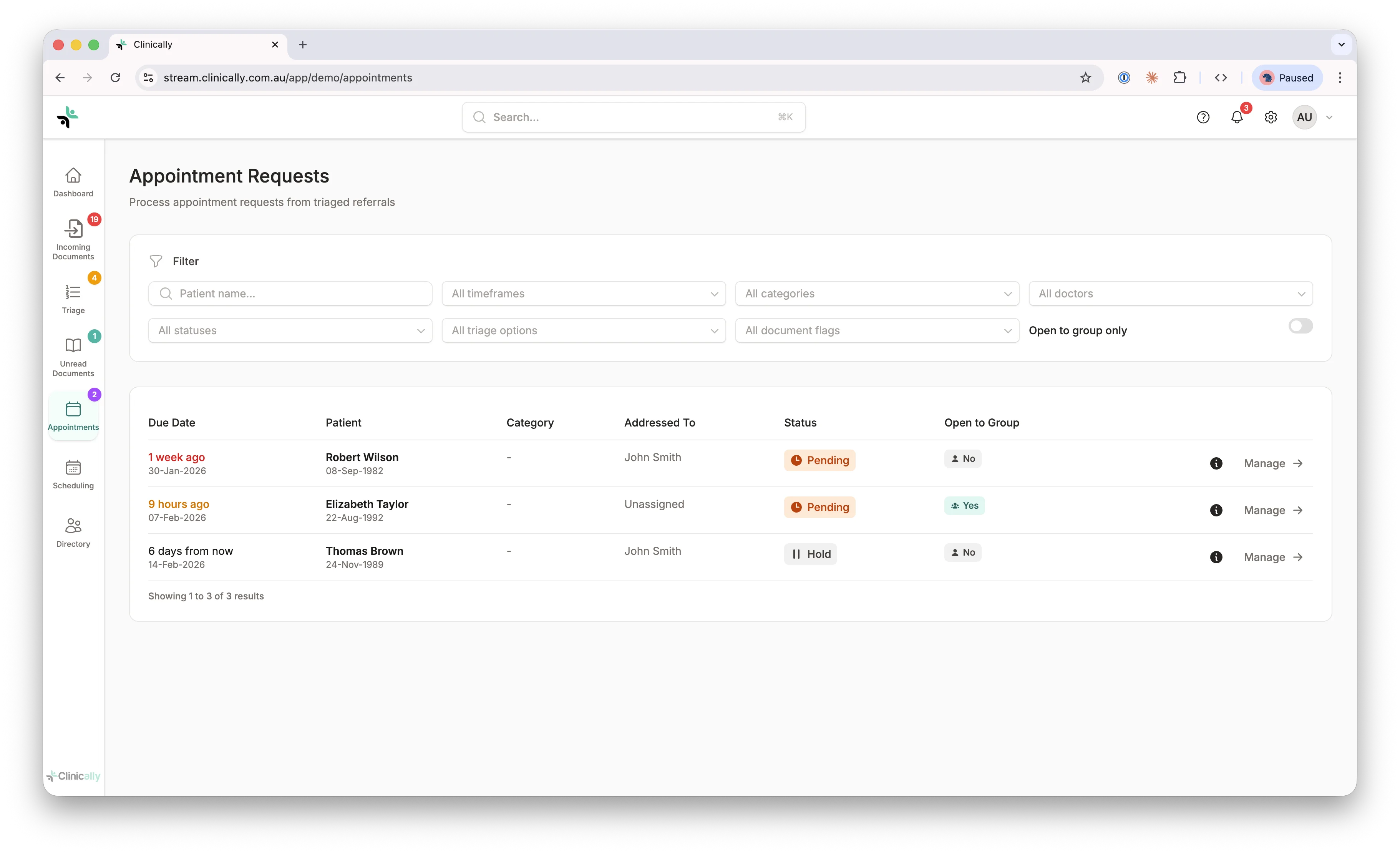
Appointment Tracking
Complete audit trail from referral to appointment to outcome.
- See available appointment slots
- Book appointment linked to referral
- Send automatic confirmation and reminders
- Track appointment status and outcomes
- Link clinical notes back to original referral
The Result
Before: 2+ hours/day manual work, lost referrals every week
After: 25 minutes/day review, zero lost referrals
Last updated: July 2026
Ready to streamline your referrals?
Book a demo and we'll build your workflows, train your team, and get you live — your monthly subscription only starts once you're set up.